 By
ByWhat is a DMG File and why is it used?
DMG stands for Disk Image File. It is primarily used in the macOS (Apple Mac) operating system. A DMG file is a type of container that holds software, applications, installation files, or an entire virtual disk structure. When a Mac user downloads an app, it is often in DMG format.
However, when this file is transferred to a Windows computer, problems arise because Windows does not support DMG files by default.
Why DMG Files Don’t Open in Windows
The Windows operating system works on NTFS and FAT-based systems, while DMG files are based on macOS’s HFS+ or APFS file system. This is why double-clicking a DMG file on Windows does not open it.
Easy and Effective Ways to Open DMG Files in Windows
1. Opening DMG Files with 7-Zip
7-Zip is a popular and free file extraction tool that can read DMG files.
Steps:
1. Download and install 7-Zip from the official website.
2. Right-click on the DMG file.
3. Click on 7-Zip → Open Archive.
4. Extract the contents inside the file.
This method is best when you only need to extract data or files from the DMG file.
2. Opening DMG Files with WinRAR
WinRAR is also a powerful tool that supports many types of archive files.
Process:
Right-click on the DMG file.
Select Open with WinRAR.
Extract the files inside.
Note: WinRAR sometimes does not extract the entire DMG file correctly.
3. Converting DMG Files to ISO with PowerISO
If you need to convert a DMG file to ISO format, PowerISO is an excellent option.
Step-by-Step Method:
1. Install PowerISO
2. Open the software
3. Click on Tools → Convert
4. Select the DMG file in Source
5. Select ISO in Output Format
6. Click Convert
Once converted to ISO, you can easily mount or extract it in Windows.
4. Using DMG Extractor Software
DMG Extractor is a dedicated Windows software specifically designed for DMG files.
Advantages of DMG Extractor
No macOS required
Simple Interface
Fast and secure
Opens even large DMG files easily
How to use:
1. Install DMG Extractor
2. Open the software
3. Load the DMG file
4. Choose the Extract Location
5. Extract the files
5. Accessing DMG Files via TransMac
TransMac is a professional tool that can read Mac disks in Windows.
How to use:
Install TransMac
Run as Administrator
File → Open Disk Image
Select the DMG file
This tool is especially useful for Mac backups and bootable DMG files.
6. Opening DMG Files in a macOS Virtual Machine
If the DMG file contains a Mac app that cannot be run on Windows, this method is the best.
What you need:
VirtualBox or VMware
macOS ISO
High-configuration PC
By installing macOS inside the VM, you can open the DMG file natively.
Why Mac Software from DMG Files Doesn’t Install on Windows
It’s very important to understand that:
The apps inside the DMG file are designed for macOS
Windows and macOS have different kernels and architectures
Software extracted from a DMG file will not run on Windows
The use of DMG files is limited to data extraction or conversion. Common Problems When Opening DMG Files
Problem 1: Corrupt DMG File
Incomplete file download
Problem with the source website
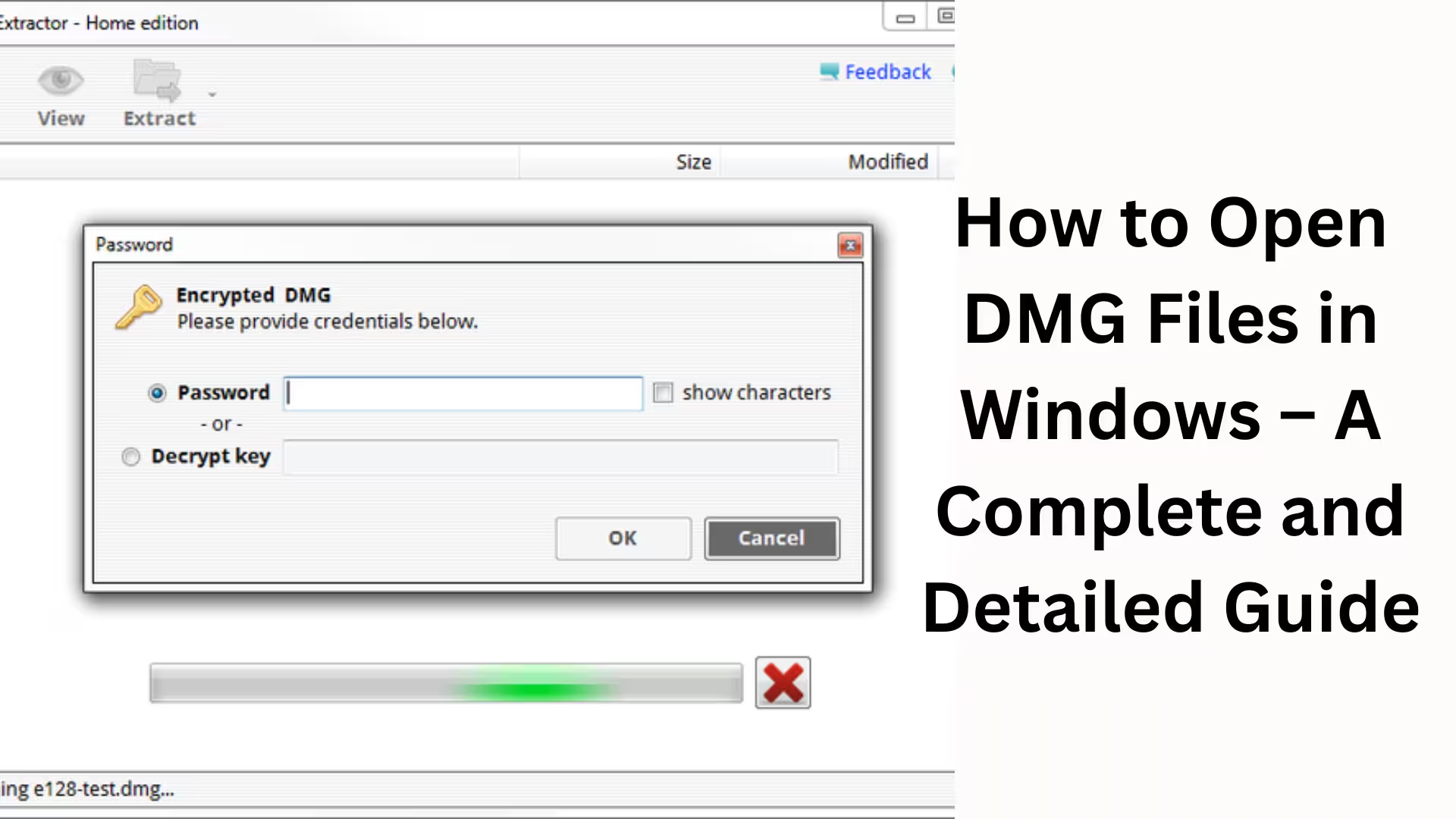
Problem 2: Unsupported Encryption
Some DMG files are encrypted
Free tools cannot open them
Problem 3: Large File Size
Extraction fails due to low RAM or storage
Best Practices for Opening DMG Files
Always use trusted software
Scan unknown DMG files for viruses first
Extract only the necessary files
Keep your system storage free
Difference Between DMG and ISO
| Feature | DMG | ISO |
| ————- | ——– | ————— |
| OS Support | macOS | Windows / Linux |
| Compression | Advanced | Standard |
| Encryption | High | Limited |
| Compatibility | Low | High |
Which Method is Best for You?
Simple Data Extraction → 7-Zip
Professional Use → PowerISO / TransMac
Running a Mac App → Virtual Machine
Conclusion
Opening DMG files in Windows is entirely possible; you just need to choose the right tool and method. Whether you only need to extract files or convert the DMG to ISO, the methods described above provide solutions for every situation. By selecting the right software, you can access DMG files in Windows without any problems.
Want to grow your website organically? Contact us now
FAQ – Frequently Asked Questions about Opening DMG Files in Windows
Q1. Can a DMG file be opened directly in Windows by double-clicking it?
No, Windows does not support DMG files by default. You need third-party software such as 7-Zip, DMG Extractor, PowerISO, or TransMac to open them.
Q2. What is the easiest way to open a DMG file in Windows?
If you only need to extract the files, 7-Zip is the easiest and fastest method. It’s free and extracts DMG files without any complex settings.
Q3. Can Mac software be installed on Windows from a DMG file?
No, Mac software does not run on Windows because macOS and Windows have different system architectures. Only data or files can be extracted from a DMG file.
Q4. Why convert a DMG file to ISO?
ISO files are more compatible with Windows. Converting a DMG to ISO allows you to easily mount, burn, or extract it. PowerISO is the best option for this.
Q5. What is DMG Extractor, and when should it be used?
DMG Extractor is a dedicated Windows software designed specifically for opening DMG files. This tool is most useful when the DMG file is encrypted or very large.
Q6. Can a DMG file contain a virus?
Yes, if the DMG file is downloaded from an unknown or untrusted source, it may contain viruses or malware. Always perform an antivirus scan before extracting.
Q7. Why do I get an error when opening a DMG file?
The main reasons for errors are:
The DMG file is corrupted
The file was not downloaded completely
The DMG file is encrypted
Insufficient RAM or storage space on the system
Q8. Is it safe to open a DMG file in a Virtual Machine?
Yes, opening a DMG file by installing macOS in a Virtual Machine (VM) is a completely safe and effective method, especially when you need to test or access a Mac app.
Q9. Which software is better for professional users?
For professional users, TransMac and PowerISO are the best options as they offer advanced features, stability, and support for large DMG files.
Q10. Can a DMG file be opened on a mobile phone or Android device?
No, Android or mobile devices do not support DMG files. A Windows or macOS system is required to open a DMG file.