
 By
ByIn today’s digital age, Windows system security is no longer an option but a necessity. We all download software from the internet, open unknown files, and try out new apps. In such a scenario, Sandbox applications act as a strong protective shield for our systems. Sandbox software runs any suspicious program in an isolated virtual environment, keeping the main system safe.
In this detailed article, we present complete information about the 10 best Sandbox applications for Windows, which are considered excellent in terms of malware protection, data security, and advanced system isolation.
What is a Sandbox Application and Why is it Necessary?
A Sandbox application provides a secure environment where any program, file, or browser activity runs separately from your main Windows system.
We believe that unknown software, trial apps, and suspicious websites are the biggest threats today. By using a Sandbox, we can easily obtain benefits such as:
Protection against malware and viruses
Protection against ransomware attacks
Safe testing of untested software
Protection against data leaks and system crashes
1. Sandboxie Plus – The Most Popular and Reliable
Sandboxie Plus is the most widely used Sandbox software for Windows.
It allows us to run any application in a completely isolated container.
Key Features:
Real-time sandboxing
Browser and app isolation
Auto-delete sandbox
Lightweight and fast performance
Sandboxie Plus is especially ideal for users who want a free and open-source solution.
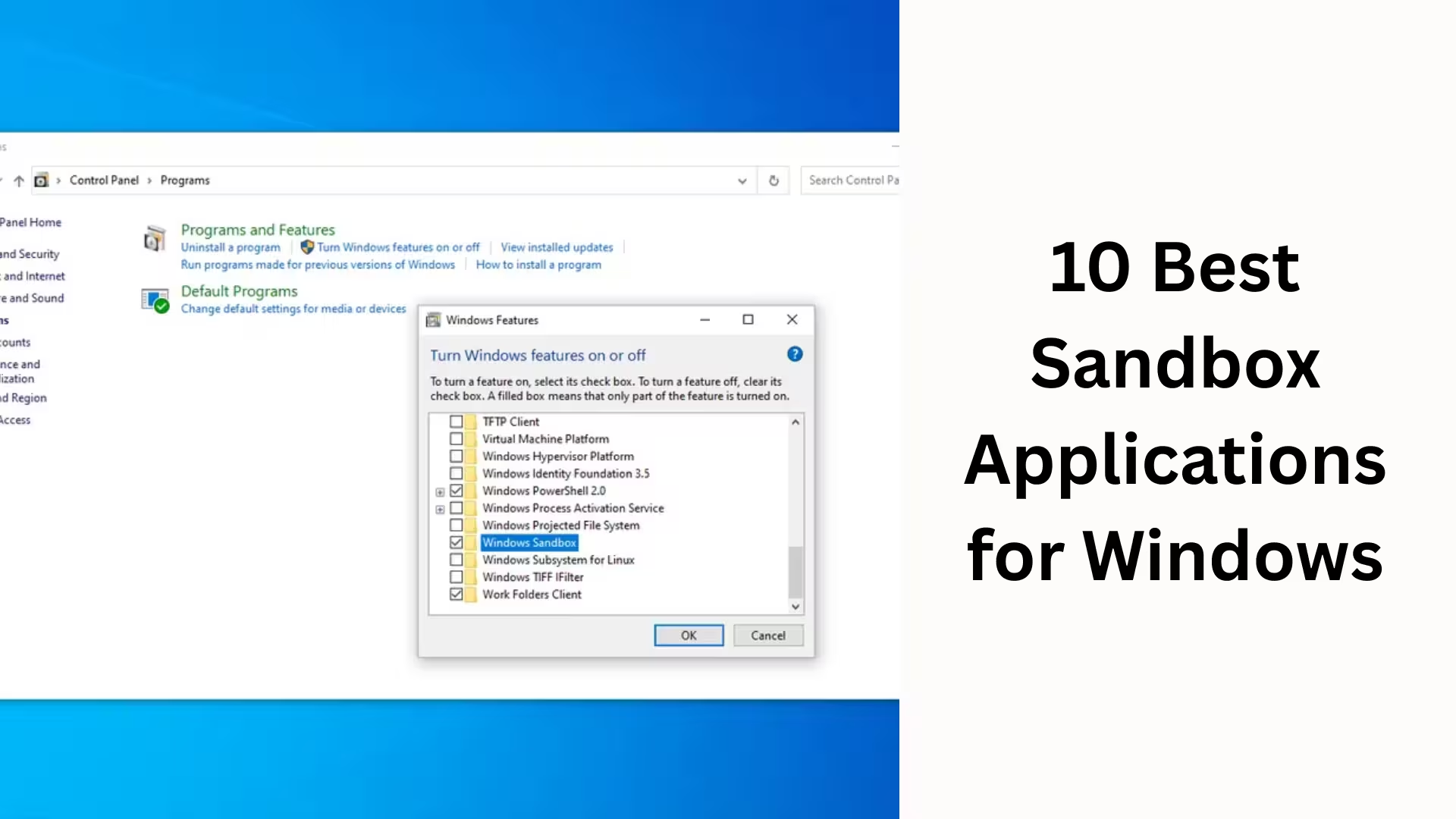
2. Windows Sandbox – Microsoft’s Official Solution
Windows Sandbox comes built-in with Windows 10 and Windows 11 Pro/Enterprise versions.
It provides a clean virtual Windows environment.
Key Benefits:
Fresh, clean system every time
No permanent data saved
Fast launch and shutdown process
Microsoft-level security
We consider this the safest option for users who don’t want to install additional software.
3. Comodo Internet Security Sandbox
Comodo Sandbox is known for its automatic threat detection.
It automatically runs suspicious files in a sandbox.
Key Features:
Auto-sandbox mode
Advanced HIPS protection
Malware behavior analysis
Firewall integration
This software is suitable for users who want an all-in-one security suite.
4. SHADE Sandbox – Best for Browser Security
SHADE Sandbox focuses specifically on web browsing security.
It runs all browsers and their plugins in a secure sandbox.
Advantages:
Protection against drive-by downloads
Automatic sandboxing
User-friendly interface
Significant reduction in malware risk
We recommend this for users who face most threats from the internet.
Also read: How to Add a Clock to the Windows 11 Desktop in 2026?
5. BitBox (Browser in the Box)
BitBox is a unique sandbox solution that runs the browser in a completely virtualized environment.
Main Features:
Hardware-level isolation
Encrypted browsing
Corporate-grade security
Data exfiltration protection
It is specifically designed for enterprise and professional users.
6. BufferZone
BufferZone is a powerful sandbox tool that uses zone-based isolation.
Key Features:
Automatic internet zone detection
Real-time threat blocking
System-level protection
Advanced policy control
We believe this is a robust solution for high-risk users.
7. Avast Sandbox (Avast One / Premium)
Avast Sandbox provides a secure environment available to premium users.
Key Benefits:
Antivirus integration
Single-click sandbox
Secure testing of suspicious apps
Cloud-based threat analysis
This is great for users who are already using Avast security solutions.
8. Kaspersky Safe Run
Kaspersky Safe Run is an advanced sandbox technology ideal for banking and sensitive tasks.
Main Advantages:
Hard-isolated environment
Keylogger protection
Data leak prevention
Phishing protection
We consider it one of the most reliable for financial security.
9. VMware Workstation Player
Although not a traditional sandbox, VMware Workstation Player is a powerful virtualization solution.
Benefits:
Completely separate operating system
High-level isolation
Ideal for malware testing
Professional control
This is suitable for advanced users and security researchers.
10. VirtualBox – Free and Open-Source Solution
VirtualBox is a free virtual machine platform that can also be used as a sandbox.
Key Features:
Multi-OS support
Snapshot feature
Complete system isolation
Ideal for developers
We recommend this for users who want to perform custom security testing.
How to Choose the Right Sandbox Application
We believe that choosing the right sandbox depends on your usage.
If you need fast and simple security, Windows Sandbox or Sandboxie is sufficient.
If you want enterprise-level protection, BitBox or Kaspersky Safe Run are better options.
Conclusion: Why Sandboxing is Essential for Windows Security
Today, Windows sandbox applications have become the most effective way to secure your system.
We clearly see that by using a sandbox:
System stability is maintained
Data remains secure
The risk of malware is virtually eliminated
If we want to make Windows secure, fast, and reliable, adopting a sandbox solution is a wise step.
Are you searching for the best hosting plan? Click now and get 20% off
Frequently Asked Questions (FAQ)
Question 1: What is a Sandbox Application?
A Sandbox application is a secure and isolated environment where software, files, or browsers can be run without affecting your main Windows system. Programs running in the sandbox cannot affect system files, the registry, or data.
Question 2: Why is using a Sandbox necessary for Windows?
Today, we constantly interact with unknown websites, email attachments, and third-party software. Using a sandbox protects your system from malware, viruses, ransomware, and spyware, and reduces the risk of data leaks.
Question 3: Is Windows Sandbox free?
Yes, Windows Sandbox is completely free, but it is only available in Windows 10/11 Pro, Enterprise, and Education editions. This feature is not available by default in the Home edition.
Question 4: What is the difference between a Sandbox and a Virtual Machine?
A Sandbox provides lightweight, fast, and temporary isolation, while a Virtual Machine involves installing a complete separate operating system. A Sandbox is better for everyday security, while a Virtual Machine is useful for in-depth testing and research.
Question 5: Is Sandboxie Plus safe?
Yes, Sandboxie Plus is a safe and reliable open-source sandbox tool. It has been in use for years and provides effective security for Windows systems with regular updates.
Question 6: Can a Sandbox stop all viruses?
A Sandbox prevents most malware and suspicious activities from reaching the system. However, using a sandbox along with antivirus and a firewall is considered the best strategy for optimal security.
Question 7: Are files downloaded in a Sandbox safe?
Files downloaded in a sandbox are temporary. They may be deleted when the sandbox is closed, unless you intentionally save them to your main system. This prevents permanent threats to your system.
Question 8: Which Sandbox is best for browsing?
For browsing security, SHADE Sandbox, BitBox, and Windows Sandbox are excellent options. These provide effective protection against drive-by downloads, phishing, and browser-based attacks.
Question 9: Does using a sandbox slow down the system?
No, most sandbox applications are lightweight and optimized. With the right configuration, their impact on system performance is negligible.
Question 10: Which sandbox is best for a typical user?
For a typical Windows user, Windows Sandbox and Sandboxie Plus are the best options, as they are easy to use, secure, and consume minimal resources.


[…] Also read: 10 Best Sandbox Applications for Windows (for System Security) […]
[…] Also read: 10 Best Sandbox Applications for Windows (for System Security) […]