 By
ByIn today’s digital age, smartphones are not just a device, but an integral part of everyday life. Apple iPhones are known for their advanced technology and premium features. One of these key features is the True Tone Display.
In this article, we will understand in detail what True Tone is, how it works, how to enable or disable it, and whether True Tone should always be kept on or not. If you are an iPhone user or are thinking of buying an iPhone, this article will be very useful for you.
What is True Tone Display? | What is True Tone in iPhone?
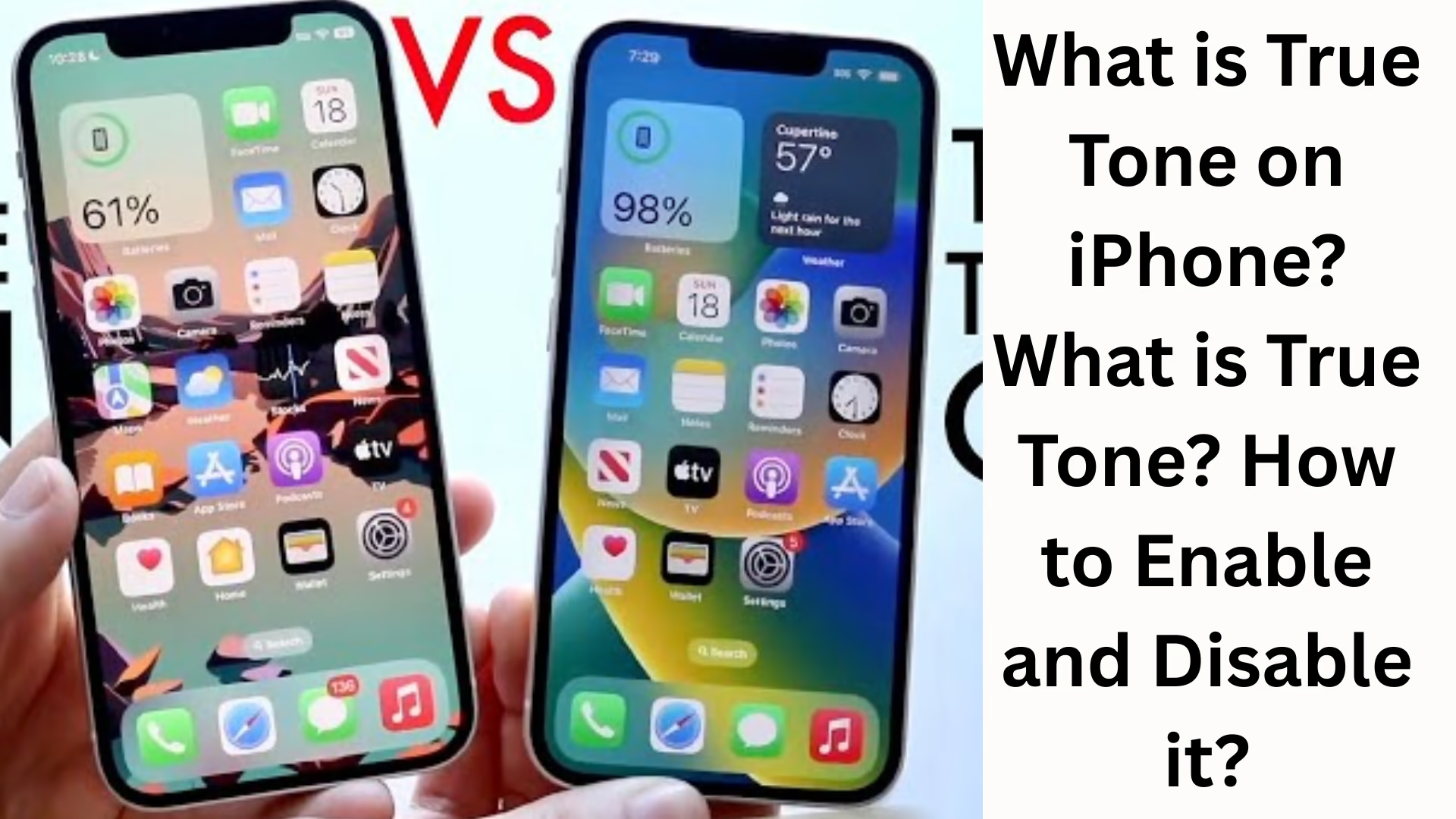
True Tone is a smart display technology that Apple first introduced with the iPhone 8 and iPhone X series. The purpose of this technology is to automatically adjust the color and brightness of the display according to the ambient light, so that the screen viewing experience becomes natural and comfortable.
For example:
If you use your phone in sunlight, the screen will become slightly whiter and brighter.
If you are sitting in a room with yellow light, the screen colors will appear slightly warmer.
While on the go or in low light conditions, the screen puts less strain on the eyes.
In simple terms, True Tone adjusts the screen according to your ambient light.
How does True Tone work?
The True Tone feature uses advanced multi-channel ambient light sensors. These sensors continuously measure:
Brightness
Color temperature
Surrounding light intensity
True Tone’s software adjusts the white balance based on this data, making the screen performance appear natural. This technology provides a better visual experience in photo editing, document reading, video watching, and gaming.
Why Enable True Tone? Benefits
1. Reduces Eye Strain
True Tone provides natural light adjustment, which reduces eye strain when viewing the screen for long periods.
2. Comfortable Viewing Experience
The screen color appears natural in every environment — whether in sunlight or indoor lighting.
3. Improved Text Reading Experience
If you read eBooks or articles/blogs, True Tone provides a very smooth experience.
4. Automatic Color Adjustment
You don’t need to manually set the brightness and screen color repeatedly.
Disadvantages of True Tone
While there are advantages, there are also some disadvantages:
1. Color Accuracy may be affected
If you are a professional:
Photo editing
Video grading
Graphics designing
True Tone makes the colors warmer or yellowish than natural.
2. Original Screen Color is not displayed
Some people find the screen appears slightly too yellow.
3. Slightly higher battery consumption
Although very little, the sensors are constantly working, which causes a slight battery drain.
How to Turn On/Enable True Tone on iPhone
Turning on True Tone on your iPhone is quite easy. Follow the steps below:
Method 1 – Enable from Settings
1. Open Settings
2. Go to Display & Brightness
3. Turn ON True Tone
Method 2 – From Control Center
1. Open Control Center
2. Long-press on the Brightness Slider
3. Tap on True Tone at the bottom
This is the fastest way to turn True Tone ON/OFF.
How to Turn Off/Disable True Tone on iPhone
If you want to see the original and accurate colors, you can turn off True Tone.
Disable from Settings
Settings
Display & Brightness
Turn OFF True Tone
Disable from Control Center
Brightness Slider → Long press
Turn OFF True Tone
Should True Tone always be ON?
It depends on your usage:
| Situations | True Tone Recommended |
| ———————— | ——————— |
| Eye comfort | Yes |
| Long reading time | Yes |
| Night use | Yes |
| Photo/Video editing | No |
| Accurate colors required | No |
If you use social media, watch movies, and browse the web, it’s advisable to keep True Tone ON.
But if you do professional editing, it’s better to turn True Tone OFF.
True Tone vs Night Shift vs Auto-Brightness
| Feature | Purpose | Effect | ——————- | —————————————- | ———————— |
| True Tone | Real-time ambient light color adjustment | Natural warm/cool effect |
| Night Shift | Blue light reduction | Yellow/Orange tint |
| Auto-Brightness | Battery saving | Brightness adjustment only |
True Tone and Night Shift may seem similar to many people, but they work in completely different ways.
Which iPhone Models have True Tone?
The True Tone feature is available on these iPhones:
iPhone 15 Series
iPhone 14 Series
iPhone 13 Series
iPhone 12 Series
iPhone 11 Series
iPhone XS & XR
iPhone X
iPhone 8 / 8 Plus
The iPhone SE (some models) also features True Tone.
Why does the screen appear more blue when True Tone is turned off?
True Tone adds a warm tint to the screen. When it’s turned off, the original, pure white color is displayed. This is the actual display output of the iPhone.
Conclusion – Is True Tone useful for you?
If you want eye protection, a comfortable screen, and a natural color experience, True Tone is a great feature.
If you do content editing or professional graphics work, turning True Tone off is the right decision.
True Tone technology makes your iPhone usage more comfortable, smart, and efficient.
Want to grow your website organically? Contact us now
FAQ – Frequently Asked Questions about True Tone
1. What is True Tone?
True Tone is a smart display feature that automatically adjusts the screen’s color temperature and brightness based on the ambient light, resulting in a more natural viewing experience.
2. Does True Tone consume more battery?
It uses very little battery, so battery consumption is not a problem for most users.
3. Should I turn off True Tone while editing photos?
Yes, it’s better to keep True Tone OFF if you are editing photos or videos, as it can alter the true colors.
4. What is the difference between True Tone and Night Shift?
True Tone changes the screen colors according to the ambient light, while Night Shift only reduces blue light and makes the screen slightly yellow.
5. Where can I find True Tone on my iPhone?
This setting is available in Settings → Display & Brightness, where you can turn it ON/OFF.
6. Is it safe to use True Tone at night?
Yes, True Tone reduces eye strain, especially when using the device in low light.
7. Should I always keep True Tone ON?
If you are doing general browsing, using social media, and watching videos, keep it ON.
If you are doing design and editing work, turn it OFF.
8. Why does the screen look white and blue when True Tone is turned off?
True Tone adds a warm tint to the screen. When turned off, the screen displays its true white and cool colors.
9. What if my True Tone option is not visible?
The True Tone option might be missing if you have had your screen replaced or if your device is incompatible.