
 By
ByIn today’s world, a fast internet experience on Android smartphones doesn’t depend solely on your data plan; the DNS Server also plays a significant role. If the right DNS Server is chosen, websites load faster, gaming latency is reduced, and the overall browsing experience is enhanced. Many users switch networks when their internet slows down, whereas the solution can often be found simply by changing the DNS settings.
In this comprehensive guide, we will explain how to find the fastest DNS Server for Android, which DNS options are superior, how to test them, and how to set them up on your phone.
What is a DNS Server?
DNS stands for Domain Name System. When we type a website name—such as `google.com`—the DNS translates it into an IP Address, allowing the device to locate and connect to the correct server.
In simple terms:
DNS acts as the Internet’s phonebook.
It looks up a website’s name and directs you to the appropriate server.
Good DNS = Faster website loading.
Poor DNS = Slow loading, timeouts, and lag.
Why is Fast DNS Important on Android?
If you frequently browse, game, stream videos, or use social media on your Android phone, a fast DNS Server offers several benefits:
Websites load more quickly.
Gaming ping (latency) can be reduced.
Video buffering is minimized.
It provides a more secure browsing experience.
Some DNS services can even block advertisements or tracking scripts.
Popular Fast DNS Servers for Android
Listed below are some of the most popular and reliable DNS Servers available:
| DNS Provider | Primary DNS | Secondary DNS |
| ————– | ————– | ————— |
| Google DNS | 8.8.8.8 | 8.8.4.4 |
| Cloudflare DNS | 1.1.1.1 | 1.0.0.1 |
| OpenDNS | 208.67.222.222 | 208.67.220.220 |
| Quad9 | 9.9.9.9 | 149.112.112.112 |
| AdGuard DNS | 94.140.14.14 | 94.140.15.15 |
However, not every DNS server is equally fast everywhere. Therefore, it is essential to perform a test.
How to Find the Fastest DNS Server on Android
1. Use a DNS Benchmark App
There are several apps available on Android that test DNS speeds.
Popular Apps:
DNS Changer
1.1.1.1 App
PingTools
Network Analyzer
With the help of these apps, you can check:
Response Time
Ping
Server Reachability
Fastest Recommended DNS
Also read: What is the Desktop Window Manager (dwm.exe), and what does it do?
2. Perform a Ping Test
The best way to measure the speed of a DNS server is by performing a Ping test.
Lower Ping = Faster DNS
Examples:
12ms = Very Fast
25ms = Good
50ms = Normal
100ms+ = Slow
If Cloudflare yields 12ms in your region while Google yields 30ms, then Cloudflare would be the better choice.
3. Use Different DNS Servers for One Day Each
Often, testing apps may show one result, but the actual real-world experience can be quite different. Therefore:
1 Day: Google DNS
1 Day: Cloudflare
1 Day: Quad9
Then, observe:
How quickly websites load
YouTube buffering performance
Instagram loading speed
Gaming latency
How to Change DNS on Android
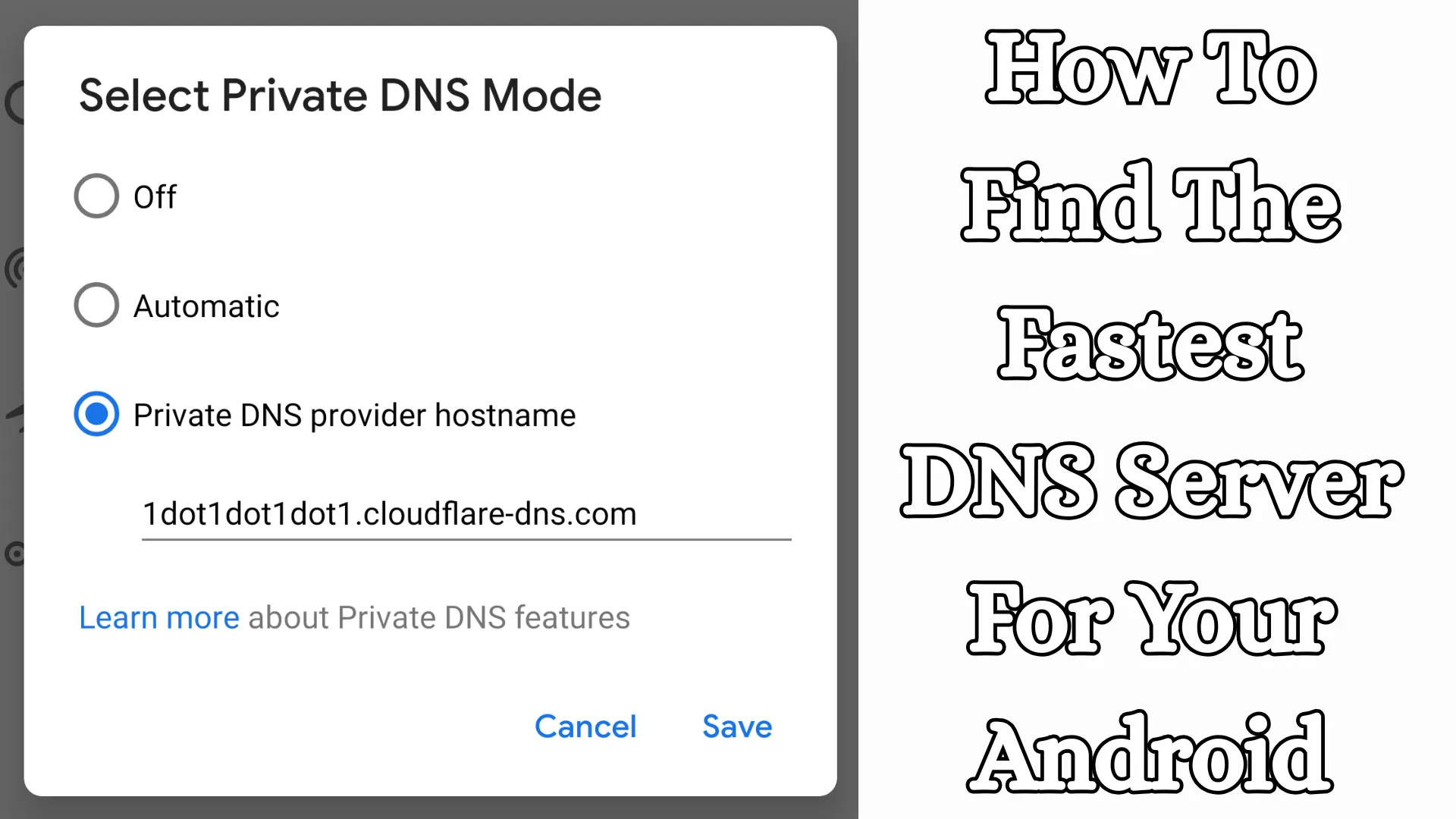
Method 1: Private DNS (Android 9 and above)
This is the easiest and most secure method.
Steps:
1. Open Settings
2. Go to Network & Internet
3. Select Private DNS
4. Select Private DNS provider hostname
5. Enter the hostnames listed below:
| Provider | Hostname |
| ———- | ————— |
| | Google | dns.google |
| Cloudflare | one.one.one.one |
| AdGuard | dns.adguard.com |
6. Save
Method 2: Wi-Fi DNS Change
If you wish to change the DNS on Wi-Fi:
1. Open Wi-Fi Settings
2. Tap on the Connected Network
3. Select Modify Network
4. IP Settings → Static
5. Change DNS 1 / DNS 2
Which is the Fastest DNS for Android in India?
DNS speeds in India may vary depending on the region. Generally:
Cloudflare DNS (1.1.1.1)
Very fast response time
Enhanced privacy
Good for gaming
Google DNS (8.8.8.8)
Stable
Works everywhere
Good fallback option
AdGuard DNS
Blocks ads
Good for family use
Best DNS Servers for Gaming on Android
If you play games like BGMI, Free Fire, COD Mobile, or Asphalt:
Recommended DNS:
1. Cloudflare DNS
2. Google DNS
3. Quad9
Benefits:
Faster matchmaking
Reduced lag
Better response
Best DNS for Streaming
If you watch YouTube, Netflix, or Prime Video:
Cloudflare
Google DNS
These resolve content quickly and can help reduce buffering.
Does Changing Your DNS Increase Internet Speed?
It doesn’t directly increase download speeds, but:
Website loading becomes faster
Search results appear more quickly
App connections are established faster
Gaming responsiveness may improve
In short, the overall user experience feels better.
Signs of a Slow DNS
If you are experiencing these issues:
Websites take a long time to open
The browser displays “Waiting for response.”
Games fail to connect
Apps get stuck or freeze
Then changing your DNS could be beneficial.
Also read: How to Convert a PNG to PDF on Windows 11?
Which is the Most Secure DNS?
Privacy-Focused DNS
Cloudflare DNS
Keeps minimal logs
Privacy-friendly
Quad9
Blocks malicious domains
AdGuard DNS
Blocks ads + tracking
Best DNS Settings for Android Users
General Users
Cloudflare DNS
Gamers
Google DNS / Cloudflare
Families
AdGuard DNS
Security-Conscious Users
Quad9
The Best Time to Test Your DNS
Perform speed tests at these times:
In the morning
During evening peak hours
At night
This is because network traffic levels constantly fluctuate.
Is It Okay to Change Your DNS Frequently?
Yes, but not excessively. The correct approach is:
Test 2–3 different DNS services
Stick with the one that proves to be consistently fast
Final Best DNS Recommendations for Android
If you need the absolute best option right now:
1st Choice: Cloudflare DNS
Hostname: `one.one.one.one`
2nd Choice: Google DNS
Hostname: `dns.google`
3rd Choice: AdGuard DNS
Hostname: `dns.adguard.com`
Conclusion
The right way to find the fastest DNS server on Android isn’t just by picking one based on its name; instead, you should perform a Ping Test, a Real-Usage Test, and set up a Private DNS connection. For most users, Cloudflare DNS proves to be the fastest and most reliable choice, while Google DNS offers excellent stability. If you are looking for ad blocking, AdGuard DNS is the best choice.
Frequently Asked Questions (FAQ)
Q1. Which is the fastest DNS server for Android?
For most users, Cloudflare DNS (1.1.1.1) is considered the fastest. However, depending on your location and network, Google DNS or Quad9 might also perform better.
Q2. Does changing the DNS increase internet speed?
Changing the DNS does not directly increase download speeds; however, it can result in reduced website loading times, faster app connections, and an improved browsing experience.
Q3. How do I change the DNS on Android?
You can set a new DNS hostname by navigating to Settings > Network & Internet > Private DNS, such as:
Cloudflare: `one.one.one.one`
Google: `dns.google`
AdGuard: `dns.adguard.com`
Q4. Is changing the DNS safe?
Yes, provided you use trusted providers such as Google DNS, Cloudflare DNS, Quad9, or AdGuard DNS.
Q5. Which DNS is best for gaming?
For gaming, a DNS with low ping is preferable. Typically:
Cloudflare DNS
Google DNS
Both of these are considered excellent options.
Q6. Can I use free DNS servers?
Yes, many popular DNS services are completely free to use, such as:
Google DNS
Cloudflare DNS
Quad9
OpenDNS
Q7. Will changing the DNS make YouTube or Netflix run faster?
Changing the DNS can help video platforms connect more quickly and, in some cases, reduce buffering.
Q8. What is the difference between Private DNS and Normal DNS?
Private DNS is encrypted, which enhances security and privacy. Normal DNS is typically not encrypted.
Q9. Which DNS blocks ads?
If you want to reduce advertisements, AdGuard DNS is a good option.
Q10. Is it okay to change DNS frequently?
Yes, you can change it for testing purposes. However, it is better to permanently use the DNS that consistently performs well.







